Thumbnail ideas

Beauty thumbnail ideas that get clicks

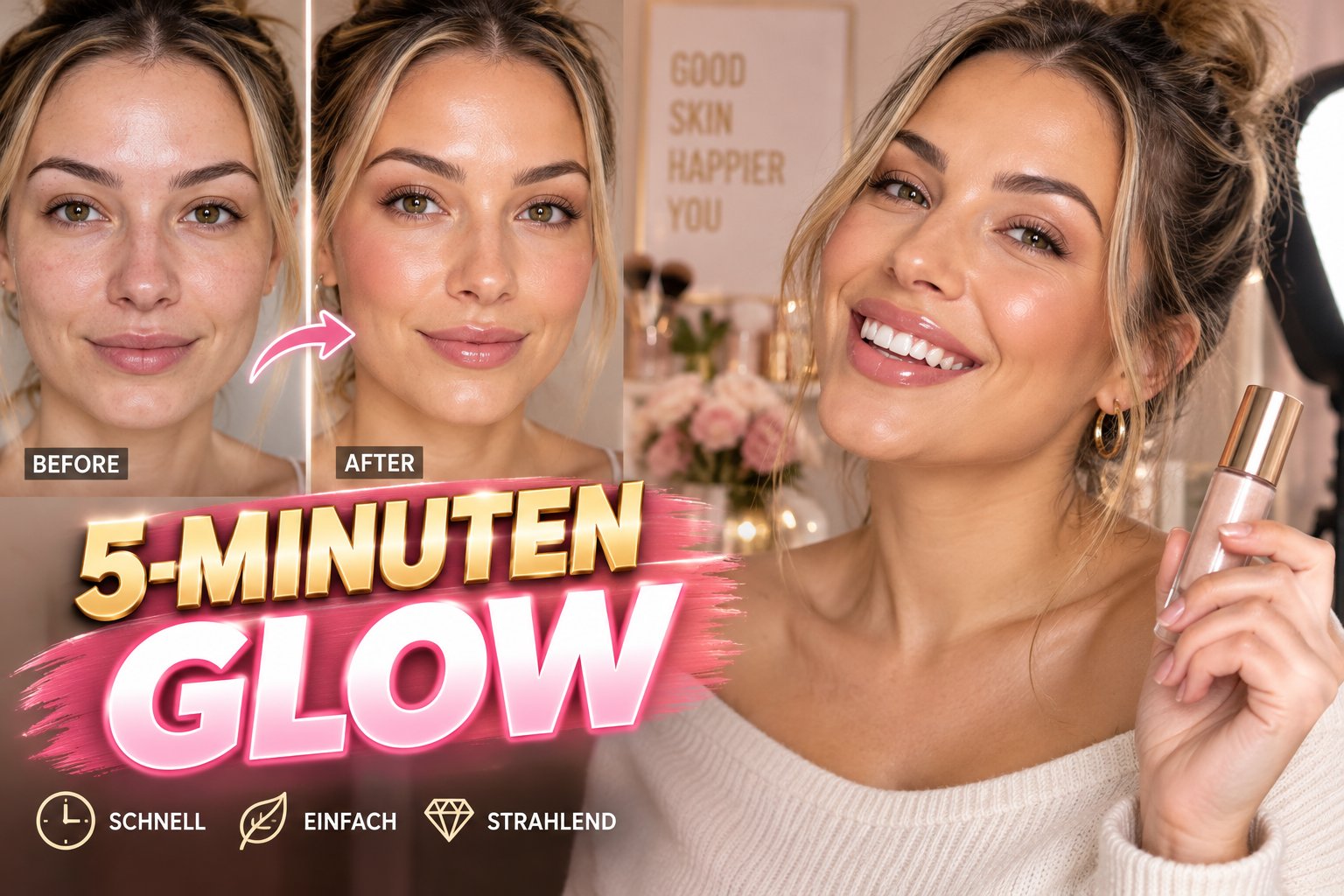
Beauty thumbnails work with a close, sharp face crop where the result is clearly visible, true-to-life color, and a clear transformation or verdict — before/after halves, a product held next to the face, or one to three words like “WORTH IT?”. Accurate skin tones and honest lighting matter more here than in almost any other niche.

Example beauty YouTube thumbnail made with VideoThumblyExample style
AI-generated example in a typical beauty style.

Beauty viewers want to see the result on real skin. The thumbnail’s job is to show that result clearly and honestly. Heavy filters may look polished, but they hide exactly what viewers came to evaluate, and viewers notice.

Thumbnail patterns that work for beauty videos

Half-face before/after

Split along the center of the face: bare on one side, finished on the other. Same light, same angle, same expression.

Product plus verdict

The product held next to the face at the same focus, with a one-word verdict. Works for reviews, firsts and favourites.

Macro result

An extreme close-up of an eye look, lip or skin texture. Detail shots stand out in a feed full of full faces.

Dupe vs original

Two products side by side with prices, and swatches or results that show how close they are.

Text: how much and what to say

One to three words: “$8 DUPE”, “NO FOUNDATION”, “1 PRODUCT”. Brand names are fine when they are the search term, but keep them short.

Faces and emotion

The face is the subject. Crop from forehead to chin or go macro on the area that matters. A calm, confident expression usually fits better than shock — the result should be the surprise.

Color

Color accuracy is everything: shade matching and undertones must look real. Shoot in daylight or with a neutral light, set white balance carefully and avoid smoothing filters that change the result you’re demonstrating.

Composition

Products at the same focus distance as the face. Keep text off the eyes and lips. For before/after, put the split line exactly on the center of the face and keep the bottom-right clear.

Check every layout at real size before uploading — the free thumbnail preview tool shows it in a feed, search and the 168 × 94 px sidebar. Sizes and limits are in the YouTube thumbnail size guide.

5 beauty thumbnail templates to try

  1. 01

    Half-face

    Bare left half, finished right half, thin divider line.

    Text: 1 PRODUCT

  2. 02

    Dupe vs original

    Two products with price tags above swatches.

    Text: $8 VS $48

  3. 03

    Macro detail

    Eye or lip close-up filling the frame.

    Text: (none)

  4. 04

    Verdict hold

    Product next to the face, face showing judgement.

    Text: WORTH IT?

  5. 05

    Routine row

    Three products in a row with step numbers, face above.

    Text: 3 STEPS

Common beauty thumbnail mistakes

  • Heavy beauty filters that hide the actual result.
  • Before and after shot in different light.
  • Too many products in one frame.
  • Text covering the eyes or lips.
  • A small face in a wide room shot.

Beauty thumbnail FAQ

Can I retouch skin in beauty thumbnails?

Light cleanup of temporary blemishes is fine, but don’t alter the result the video demonstrates. If the product didn’t do it, the thumbnail shouldn’t show it.

Should I show product brand names?

When the brand is the search term (a review or a dupe), yes — briefly. Otherwise let the result speak and keep the name in the title.

Do before/after thumbnails still work?

Yes, when they are honest. Use identical light, angle and expression so the only difference is the makeup or treatment.

Make 3 beauty thumbnails from your video — free

Upload your video: VideoThumbly's AI understands what it's about and designs three high-click thumbnail variants with different click angles that you can finish in the editor. New accounts get 6 free AI credits.